
URLを開くだけで動く、ブラウザの中のPC-98。
WebNP2 は、PC-98 エミュレータ NP2kai の wasm ビルドをそのままブラウザで動かす Webプレイヤーです。インストールもアプリも不要、続きから再開もできて、 AIエージェントから直接操作することもできます。
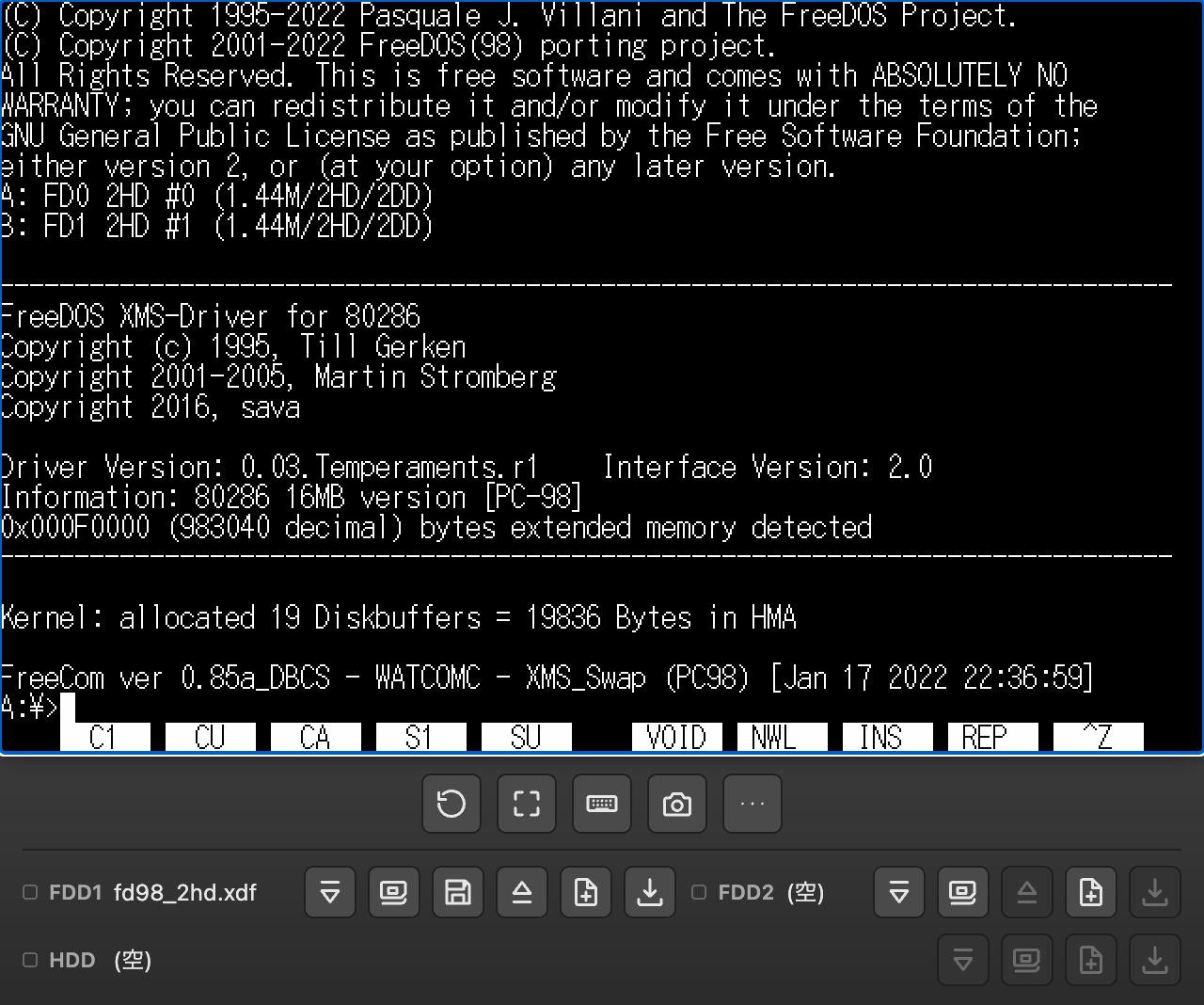
A PC-98 in your browser. Just open the URL.
WebNP2 is a web player that runs a WebAssembly build of the PC-98 emulator NP2kai directly in your browser. No install, no app, resume right where you left off — and it can even be driven directly by AI agents.
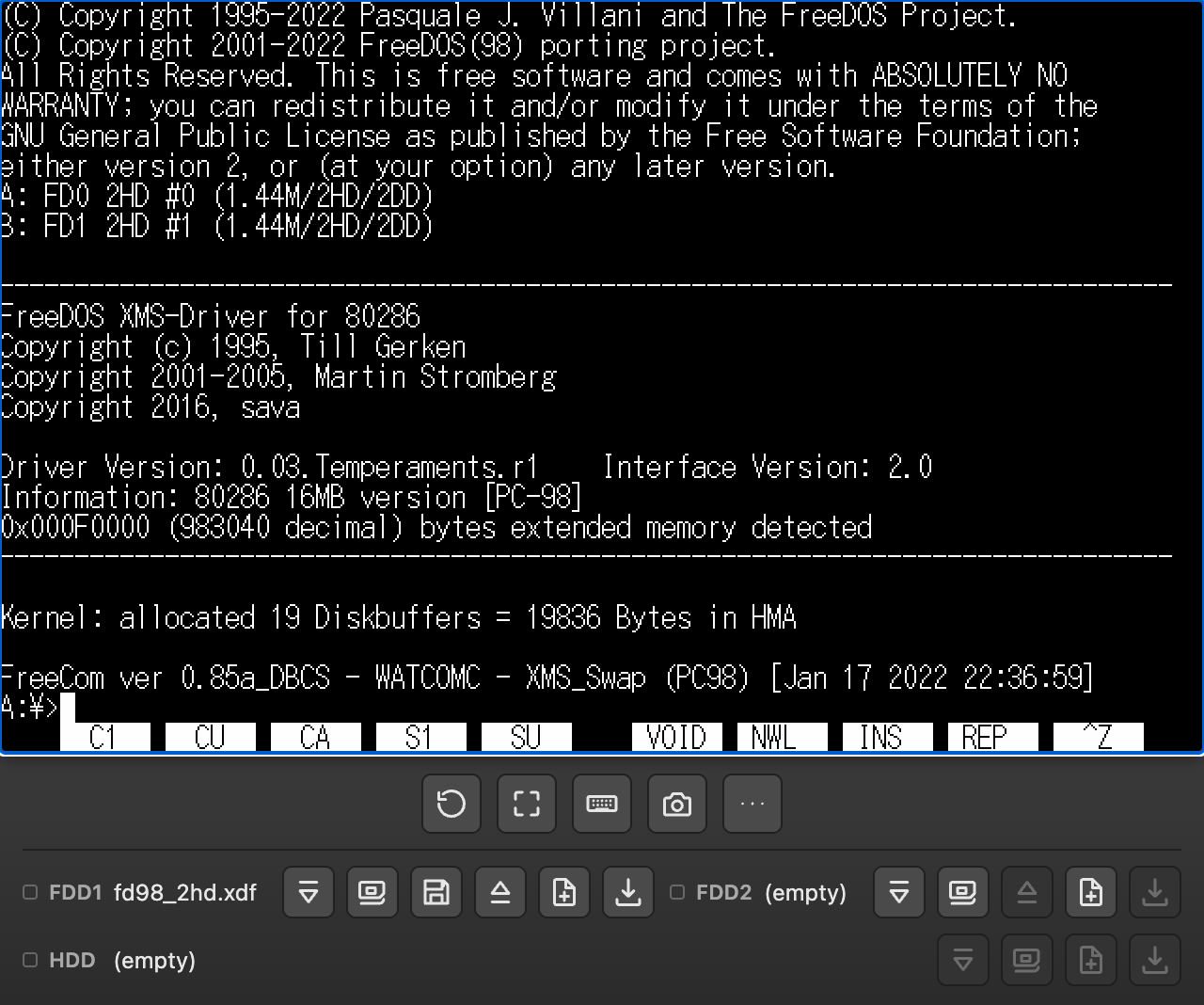
インストール不要・ブラウザ完結
PC-98 エミュレータ NP2kai の wasm ビルドをそのまま使っているため、アプリのインストールも ブラウザプラグインも不要です。対応ブラウザで URL を開けば、 その場で PC-98 が起動します。
No install — runs entirely in the browser
WebNP2 runs a WebAssembly build of the PC-98 emulator NP2kai as-is, so there's no app to install and no browser plugin needed. Open the URL in a supported browser and the PC-98 starts right there.
ゲームパッドも、画面上のパッドも
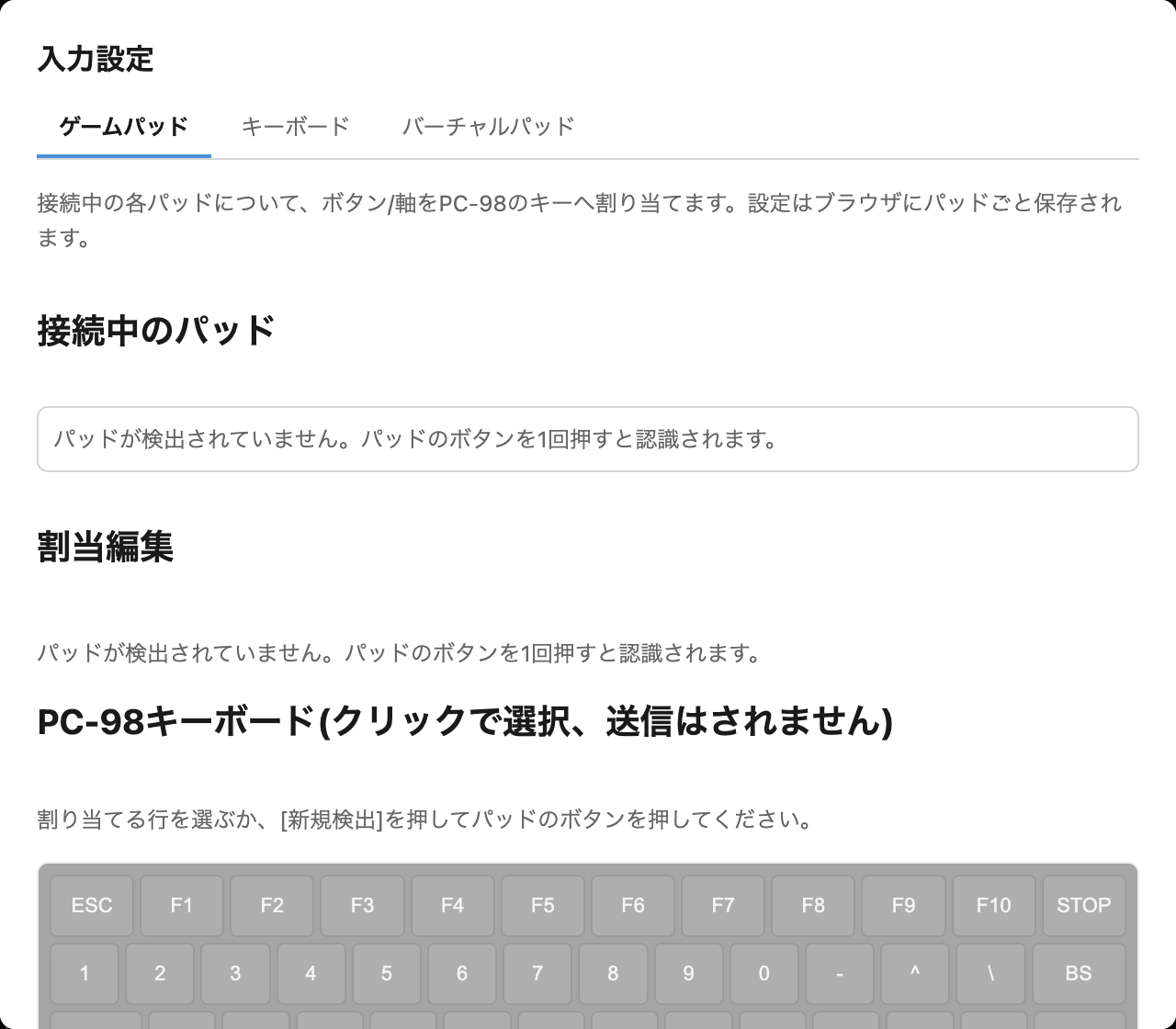
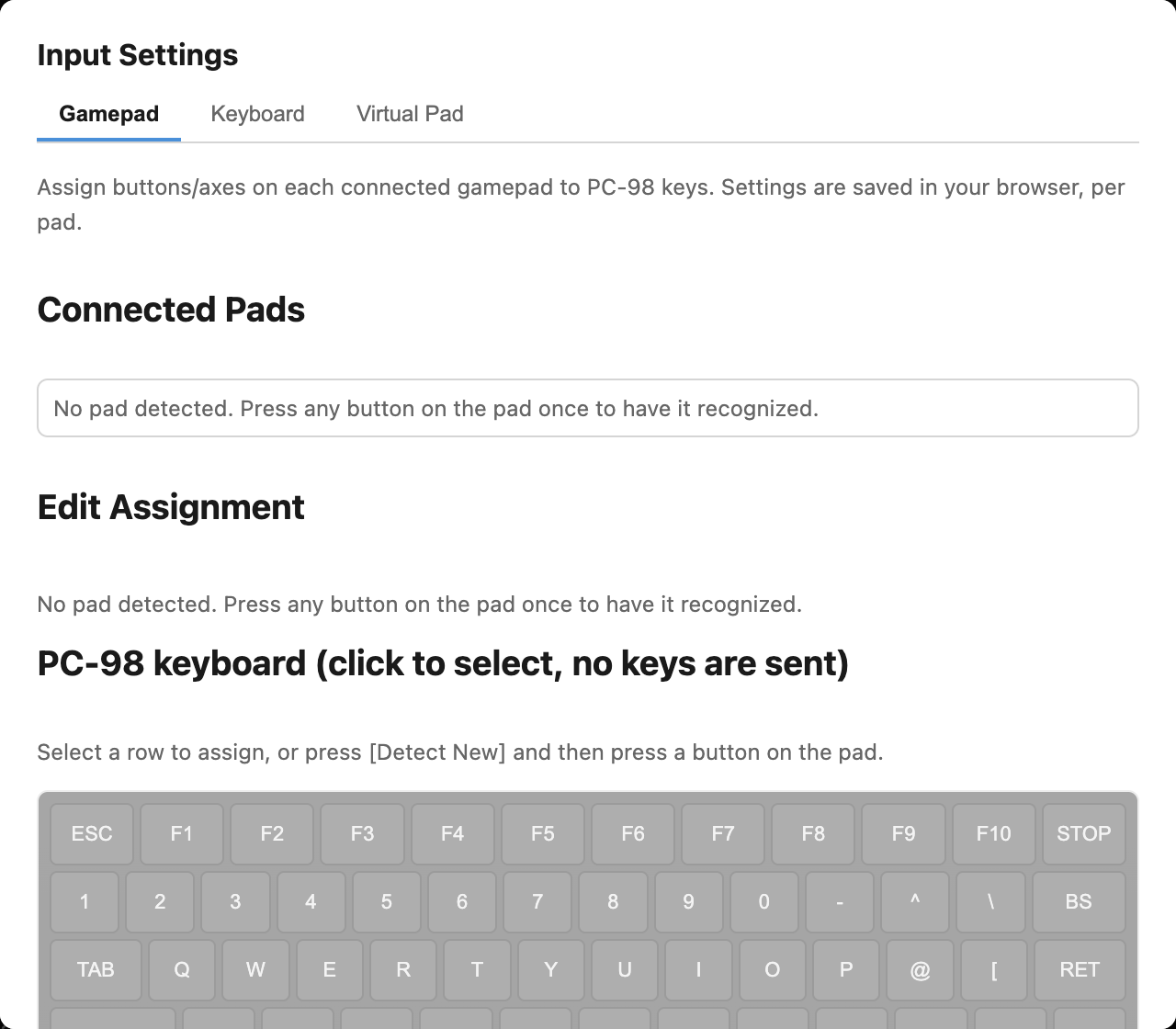
物理ゲームパッドのボタン・軸やホストの物理キーを、好きなPC-98キーへ 割り当てられます。「…」→「入力」→「入力設定」はゲームパッド/キーボード/ バーチャルパッドの3タブで、共通のPC-98配列キーピッカーから割当先を選べます。 ソフトキーボードにはテンキーも含まれます。
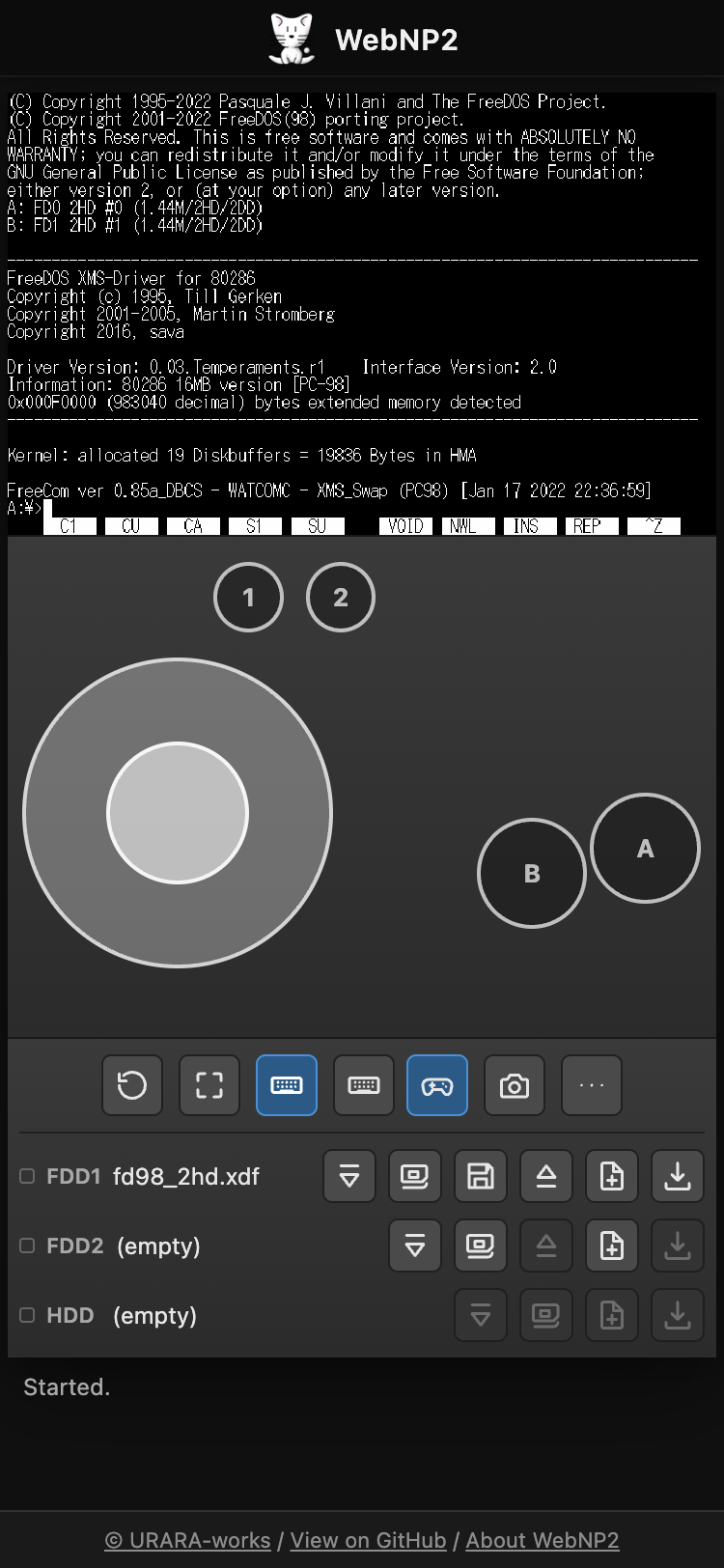
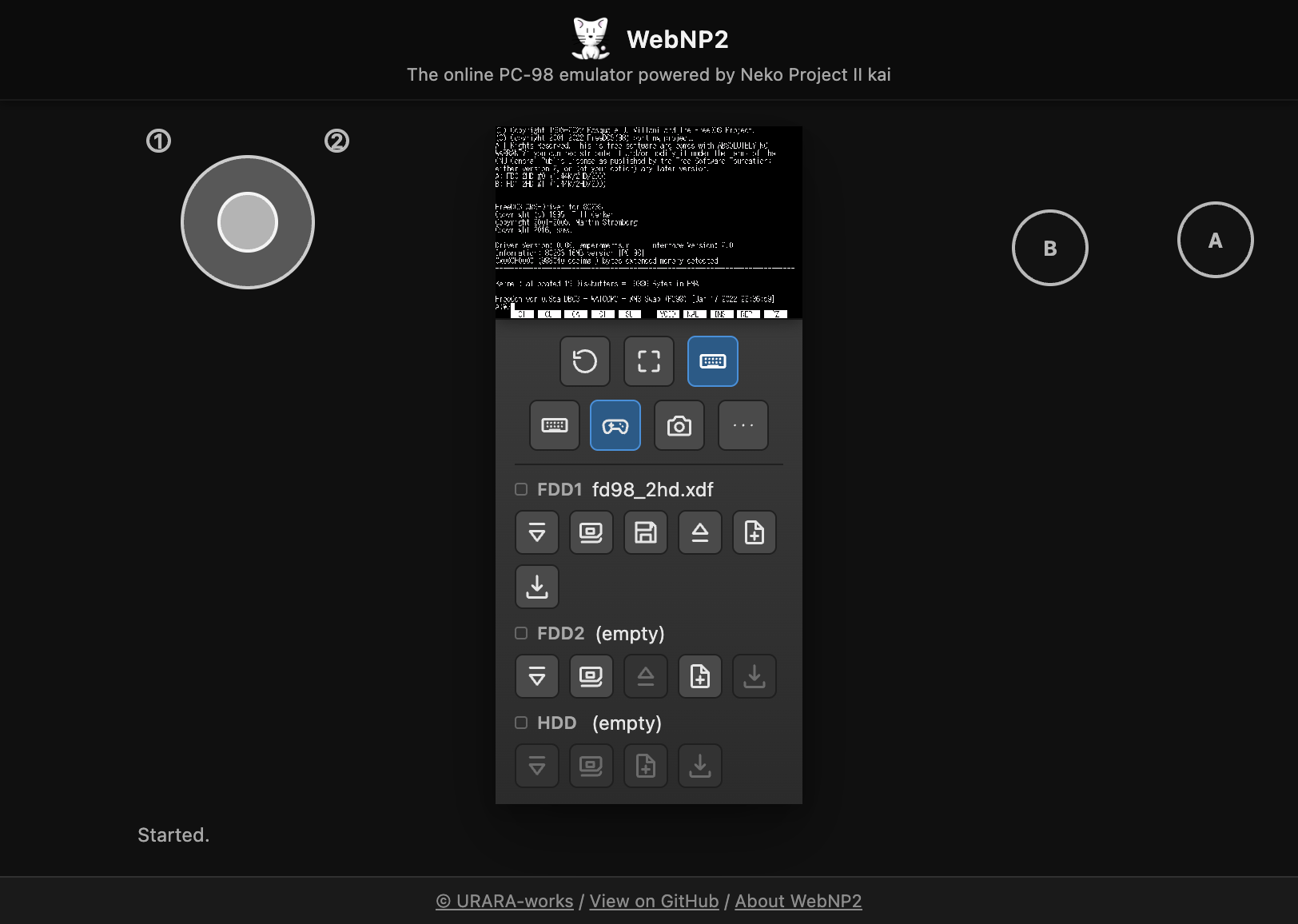
スマホ向けバーチャルパッドは、縦持ちなら画面の下、横持ちなら左右の余白へ 自動配置。ダーク背景で操作部を見分けやすく、指でゲーム画面を隠さず、 方向+ボタンの同時押しもできます。
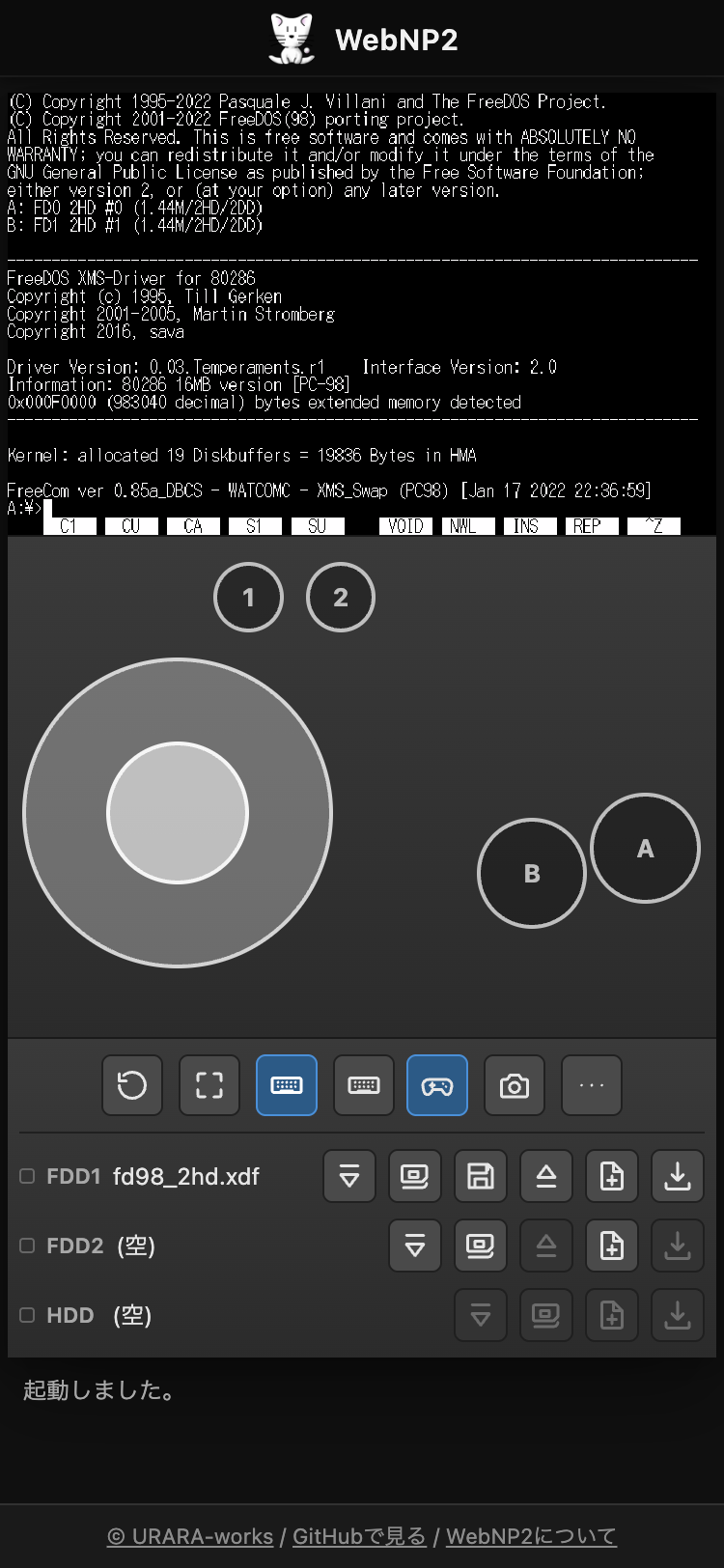
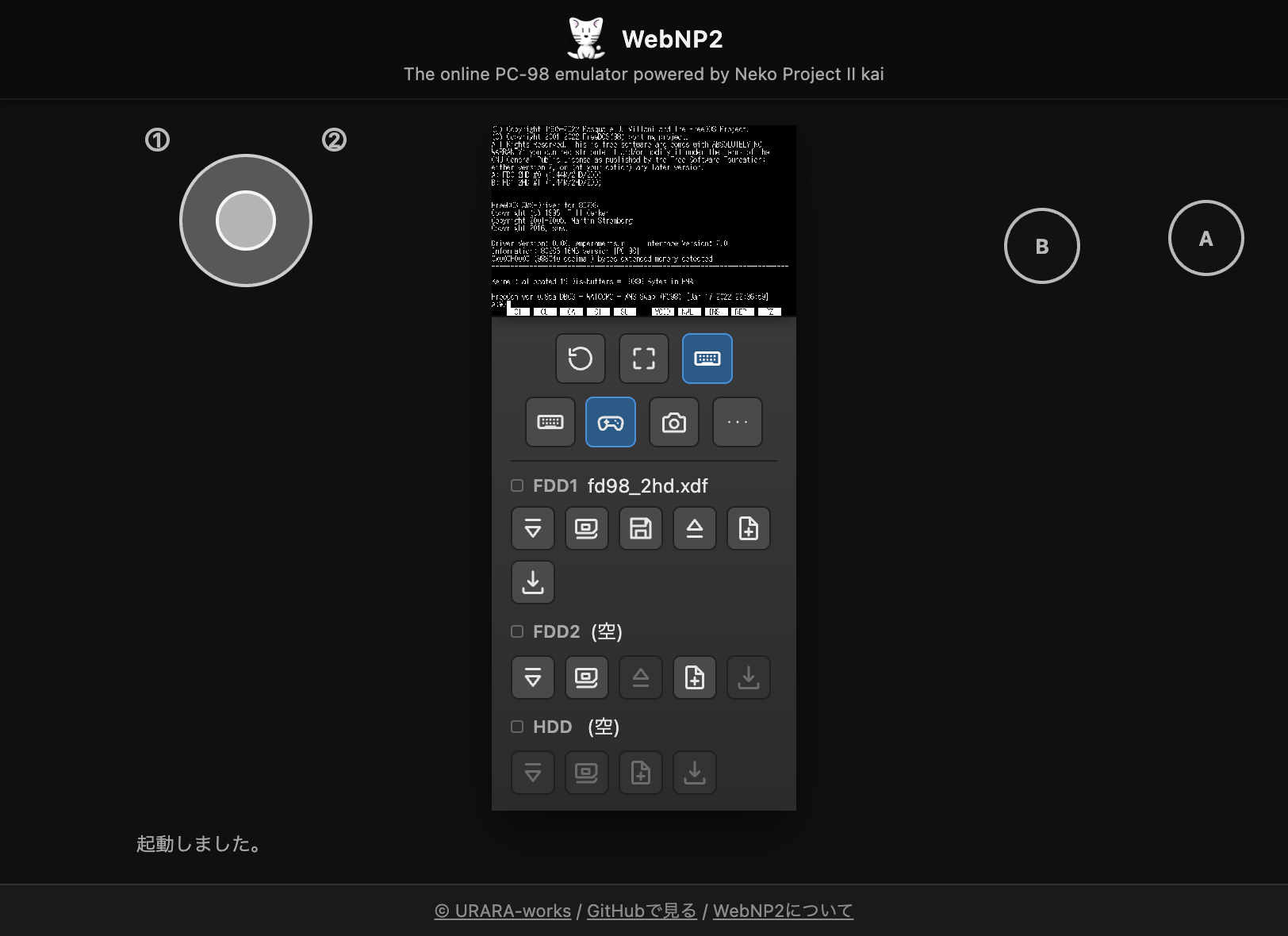
Physical and on-screen game controls
Map physical gamepad buttons/axes or host keyboard keys to any PC-98 key. More (…) → Input → Input Settings provides Gamepad, Keyboard, and Virtual Pad tabs with one shared PC-98 keyboard picker. The on-screen keyboard also includes the numeric keypad.
The phone-focused Virtual Pad automatically sits below the game in portrait or in the side margins in landscape. Its controls stay clear against the dark background, your fingers do not cover the game, and direction-plus-button input works simultaneously.
進行状況はブラウザが覚えている
ディスクへの変更内容はブラウザ内(IndexedDB)へ自動保存され、 次回同じイメージで開いたときに続きから再開できます。 これまでに読み込んだHDD/FDイメージは「ディスクライブラリ」から 一覧・起動・削除でき、実行状態そのものを「ステート保存/復元」で スロットにスナップショットすることもできます。
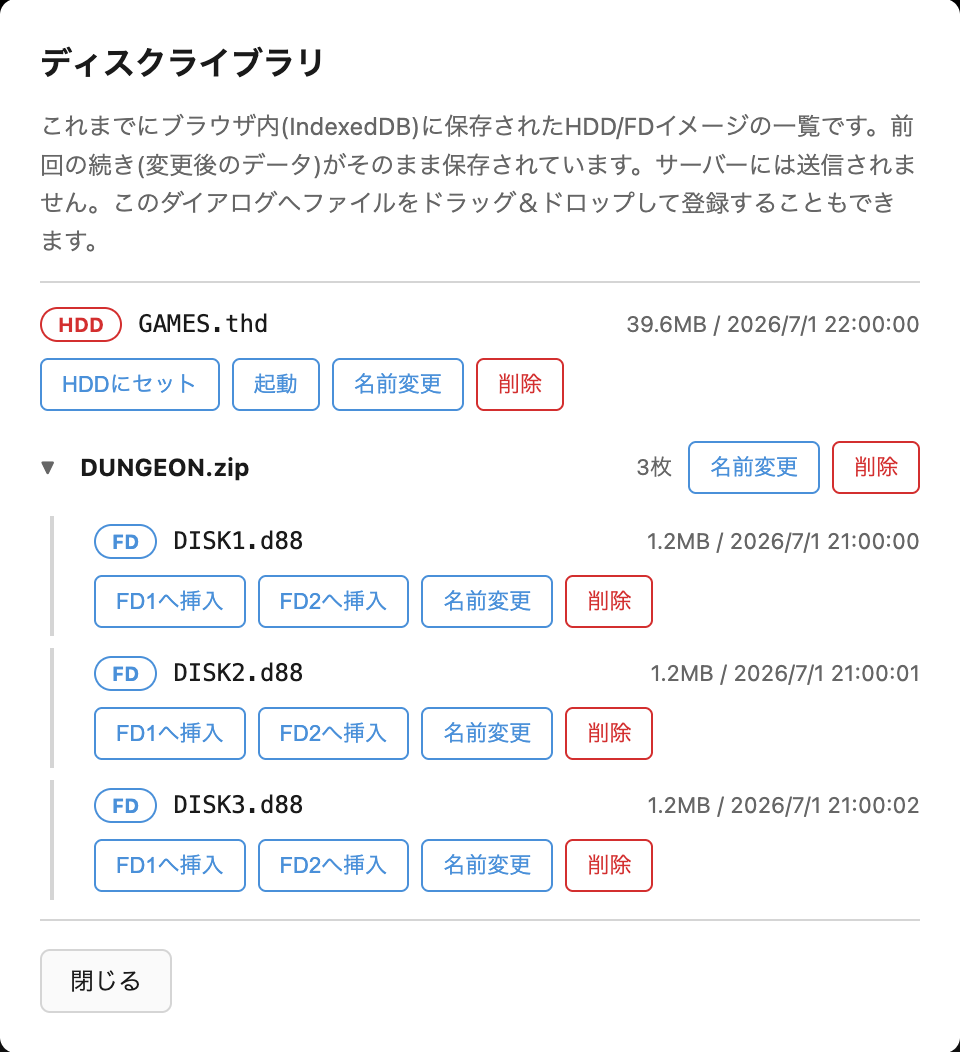
保存先はすべてあなたのブラウザ内で完結し、サーバーへ送信されることは ありません。
Your browser remembers your progress
Disk changes are auto-saved to your browser (IndexedDB), so opening the same image again resumes right where you left off. The Disk Library lets you list, boot, or delete any previously loaded HDD/FD image, and Save State/Load State lets you snapshot the running state itself into a slot.
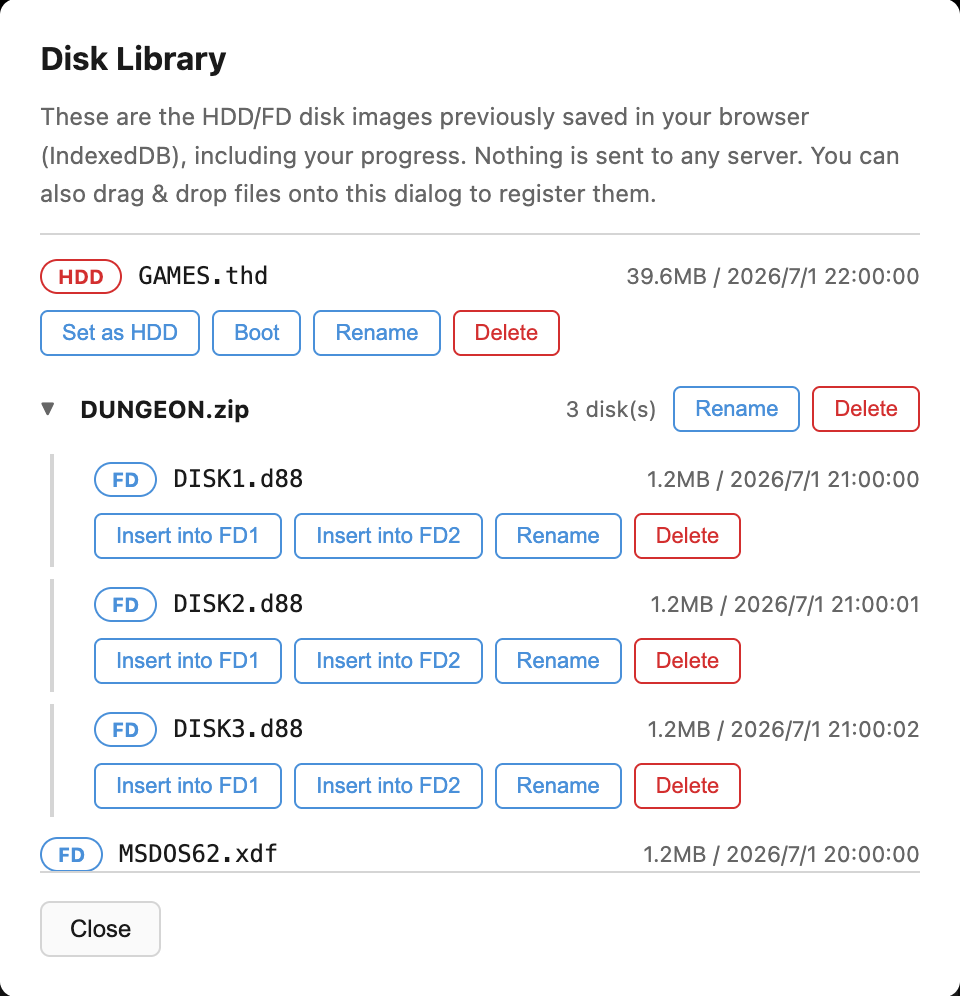
Everything is stored only inside your own browser — nothing is ever sent to a server.
ホストからテキスト送信
コピペ感覚で、ホスト側(このブラウザ)で入力したテキストを ゲスト(エミュレータ内)へキーボード入力として送れます。 全角文字(Shift_JIS)にも対応しており、FreeDOS(98) など対応環境では そのまま届きます。NEC MS-DOS の標準コンソールでは全角が化けて しまいますが、同梱の常駐ヘルパー(PASTE.COM)をゲストへ導入すれば 解決できます。

Type on the host, send it to the guest
Type text on the host (this browser) and send it to the guest (inside the emulator) as keyboard input — like copy & paste. Full-width characters (Shift_JIS) are supported and reach the guest directly on environments such as FreeDOS(98). On a plain NEC MS-DOS console, full-width characters come out garbled, but installing the bundled resident helper (PASTE.COM) into the guest fixes that.

AIがPC-98を直接操作できるMCP対応
WebNP2 の一番のユニークポイントです。ローカルで動かす MCP サーバー
(webnp2-mcp)経由で、Claude Code などの AI エージェントから
WebNP2 を直接操作できます。MCP サーバーはあなたのマシン上で動き、
画面内容やディスクイメージが外部サーバーへ送信されることはありません。
ブラウザで WebNP2 を ?bridge=1 パラメータ付きで開くと、
ページがローカルの MCP サーバーへ接続します。主なツールは以下のとおりです。
| ツール名 | 概要 |
|---|---|
screen_text | 現在のテキスト画面(80x25)とカーソル位置を取得します。 |
type_text / paste_text | キーボード入力として文字列を送信します(全角対応あり)。 |
send_keys | "ENTER"や"CTRL+C"のようなキーコンボを送信します。 |
screenshot | 画面のPNGスクリーンショットを取得します。 |
save_state / load_state | 実行状態のスナップショット保存/復元を行います。 |
insert_disk / eject_disk | FD1/FD2へのディスク挿入/排出を行います。 |
セットアップ手順の詳細は mcp/README.md を参照してください。すべてローカル動作です。
AI agents can operate the PC-98 directlyMCP support
This is WebNP2's biggest unique feature. Through a local MCP
server (webnp2-mcp), AI agents such as Claude Code
can drive WebNP2 directly. The MCP server always runs on your
own machine, and screen contents or disk images are never sent
to an external server.
Open WebNP2 with the ?bridge=1 parameter to have
the page connect to your local MCP server. Some of the main
tools:
| Tool | Description |
|---|---|
screen_text | Gets the current text screen (80x25) and cursor position. |
type_text / paste_text | Sends a string as keyboard input (full-width supported). |
send_keys | Sends a key combo such as "ENTER" or "CTRL+C". |
screenshot | Captures a PNG screenshot of the screen. |
save_state / load_state | Saves/restores a snapshot of the running state. |
insert_disk / eject_disk | Inserts/ejects a disk from FD1/FD2. |
See mcp/README.md for full setup instructions. Everything runs locally.
FreeDOS(98) 同梱
ROM・市販ソフトウェアが手元になくても、同梱の FreeDOS(98) 起動FDで ワンクリックで DOS プロンプトまで起動して試せます。 ?freedos=1&run=1 のURLを開くだけで、 クリック不要で起動します(音声は最初のクリックで有効化)。
FreeDOS(98) included
Even without ROMs or commercial software on hand, you can boot straight to the DOS prompt in one click using the bundled FreeDOS(98) boot floppy. Just open ?freedos=1&run=1 and it boots with no clicks required (audio unmutes on your first click).
URLパラメータで構成を共有
?hdd=/?fd1=/?clk= などの
URLパラメータでディスクイメージやクロック倍率を直接指定できます。
「開けば起動する」リンクをそのまま配布できる、ということです。
複数ディスク入りのZIPを共有したいときは ?lib=(複数指定可)が使え、
種別を問わずディスクライブラリへ登録されて選択画面が開きます。
hdd/fd1/fd2 で指定するURLの
配信元はCORS(Access-Control-Allow-Origin)が有効である必要があります。
Dropboxの共有リンクはコピーしたURLをそのまま貼れます(アプリ側でホスト名を置換して直接取得します)。Google Driveは中継経由で自動的に取得を試みます。OneDriveは利用できません。
Share a configuration via URL parameters
URL parameters such as ?hdd=/?fd1=/?clk=
let you specify disk images and the clock multiplier directly —
in other words, you can hand out a link that just boots when opened.
To share a ZIP with multiple disk images, use ?lib=
(repeatable) — it registers the images into the disk library
regardless of type and opens the selection screen.
hdd/fd1/fd2
must be served from an origin with CORS
(Access-Control-Allow-Origin) enabled.
Dropbox share links can be pasted exactly as copied (the app rewrites the hostname and fetches them directly). Google Drive links are automatically retried via a relay. OneDrive is not supported.
プライバシーとライセンス
ROM・市販ソフトウェアのディスクイメージは一切同梱していません。 読み込んだディスクイメージは、あなたのブラウザ内(IndexedDB)にのみ 保存され、サーバーへ送信されることはありません。
エミュレータコアには NP2kai-wasm (BSD系ライセンス、詳細は ./core/LICENSE.NP2kai) を使用しています。 同梱の FreeDOS(98) は GPL ライセンスで、ソースは github.com/lpproj/fdkernel から入手できます(詳細は ./freedos/README.txt)。
Privacy and licensing
No ROM images or commercial software disk images are bundled. Any disk image you load is saved only inside your browser (IndexedDB) and is never sent to any server.
The emulator core uses NP2kai-wasm (BSD-style license, see ./core/LICENSE.NP2kai). The bundled FreeDOS(98) is licensed under the GPL; its source is available at github.com/lpproj/fdkernel (see ./freedos/README.txt for details).